
The Essential Guide to CRM Reporting
CRMs are powerful tools that give businesses a unified storage solution for customer data and a way to track and optimize sales processes. The vast majority of companies with CRMs see an increase in sales KPIs. Four in ten see revenues jump by 11-20%.
But without actionable reporting functionality, businesses risk leaving powerful data insights locked in their CRM platform and revenue on the table. You see, running a standard report in your CRM is not enough. You need to run the correct reports on the right KPIs to understand what is happening and how to improve it or predict what might happen.
With this kind of informative CRM reporting, everyone across sales, marketing, and customer success functions can use your CRM data to improve processes, increase efficiency, and drive more revenue — rather than just using it to impress upper management.
This article will explain good CRM reporting and why you should go beyond basic reporting. We'll then outline the seven most meaningful CRM reports every business should create and when you should create them.
What is CRM reporting?
Reporting is one of the most common yet neglected features of a CRM. Almost every software provider has a reporting feature, and while some are better than others, few businesses use any of these features to their full extent.

The truth is that these reports turn your CRM from a glorified Rolodex into a tool that can improve and optimize your processes.
The kind of canned reports that most businesses create aren't enough. Anyone can hit the report button and have your software automatically create a pretty graph.
Unfortunately, most small businesses don't have someone with the time or skills to jump in and create these CRM reports from scratch. And it can take months to find someone who can and get them up to speed with your CRM and business.
That doesn't mean you have to miss out on the huge benefits CRM reporting brings and get the kind of results we've promised above. You can hire our sales enablement experts instead.
If you want to improve your processes, choose a CRM that can produce high-quality, detailed reports AND use them to take action.
CRM reports provide strategic insight
It’s easy to get stuck in the weeds when you’re a sales or marketing manager. You want to make the most of this sales quarter or the next marketing campaign that you forget to take a step back and see how your strategy is playing out over a longer timeframe.
This can mean you miss out on critical insights on how to improve. In fact, 84% of sales and marketing leaders feel they need more data to improve campaigns and pipelines, according to the Sales Enablement Society.
That's why it's so important to create detailed CRM reports regularly. CRM reports allow you to get a bird's eye view of the process so you can step back from the tactics of individual sales and make strategic decisions about your overall sales and marketing processes.
Creating the first reports can be difficult — and often requires expert advice — but once you have someone who can create custom reports, run them regularly, and organize everything into a dashboard or overarching report, it becomes much easier to take action.
Everyone benefits from CRM reporting
When you do CRM reporting right, everyone in your business benefits, from marketing to customer success.
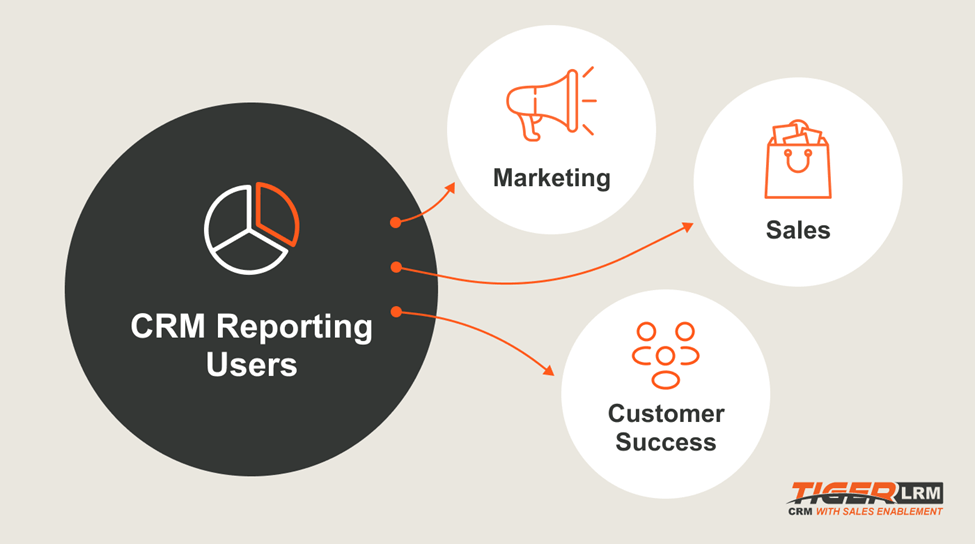
We’ll go into more detail about the core reports you should create below, but here’s a snapshot of how CRM reports can help a range of professionals in your business:
- Sales reps can use reports to understand the status of their pipeline and prioritize their efforts.
- Sales managers can use reports to understand rep performance, identify weaknesses in the sales process, and coach reps to perform better.
- Sales ops teams can use reports to optimize internal processes, redesign sales territories, and set better targets.
- Marketing teams can use reports to understand the effectiveness of previous campaigns and optimize future campaigns.
- Customer success teams can use reports to identify the highest-value customers and prioritize their service.
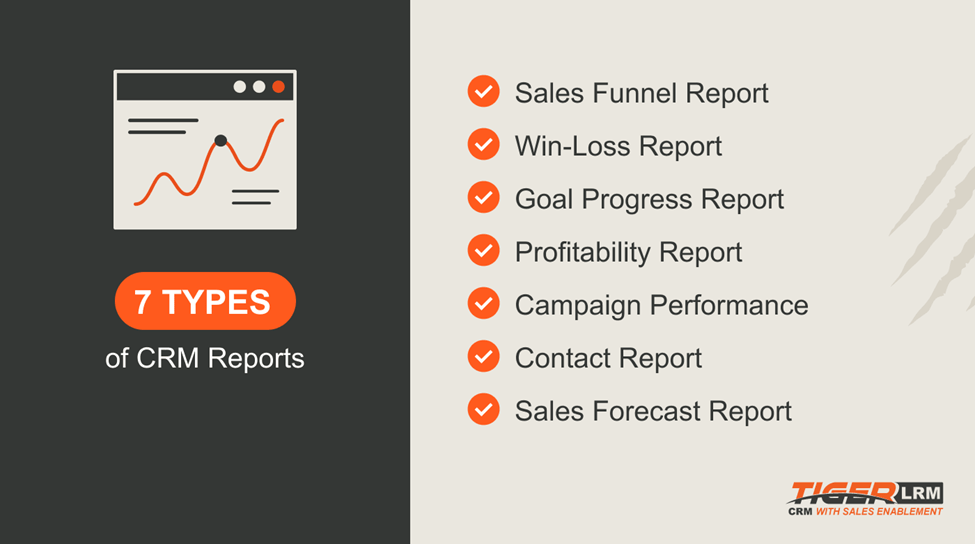
Seven core CRM reports and why you should run them
Sales funnel report
A sales funnel report is an overview of all the deals in your pipeline. Your business’ sales process is unique, so it’s important both sales and marketing managers understand exactly what the typical customer journey looks like if they want to optimize their processes to increase conversions.

By running a sales funnel report, both sales and marketing managers can see what the typical sales conversions look like at every step of the funnel. This will highlight the weak points of the funnel — the places they need to optimize to increase conversions. You can take things further by comparing your conversion rates to the industry average. In SaaS, for instance, the average visitor-to-lead conversion is 7%, while close rates stand at 27%.
It will also help them to forecast sales and revenue. It’s easy to calculate what percentage of your current pipeline will turn into customers when you understand the conversion rate of each stage of the funnel. It also lets marketing managers work backward and set a goal for the total number of leads needed to hit a revenue goal.
Win-loss report
A win-loss report is an analysis of your success in closing sales. According to the latest research, two-thirds of B2B sales opportunities are competitive. That means even the best sales teams aren’t going to close every deal. It also means you need to understand which kinds of deals your sales team is winning so you can focus on finding more of those deals in the first place.
A win-loss report does just that. By running win-loss reports, sales managers can get an overview of their reps' performance and see which reps are closing the most deals.
But they can also use the report to see why they are losing deals. Maybe there isn’t a product-market fit — something that can be fixed by targeting different prospects — or maybe there is a problem with contract terms. By fixing these issues, sales managers can improve conversion rates in the future.
Goal progress report
It’s more important than ever to keep track of how your sales team is performing. Sixty-nine percent of sales reps say it’s harder to sell than ever as inflation continues to bite. A goal progress report lets you do just that.
A goal progress report analyzes how well your team is faring against specific sales goals. Those goals could be related to deal size, the number of meetings reps book, customer lifetime value, or dozens of other metrics.
Running a goal progress report is vital if you are a sales manager. It’s a great way to get an idea of individual performance beyond top-line metrics like deals closed or meetings booked and keep your finger on the pulse of your pipeline.
But it can also be empowering for sales reps. Some are motivated to see how they compare with their colleagues. Others will want to improve their Q2 performance compared to their Q1 results.
Profitability report
A profitability report is a measure of revenue by customer. It breaks down customer revenue and helps you identify the most profitable customers. Hint: it's not necessarily the client that has the biggest contract.
Ranking customers' profitability is cool, especially if you can brag that your sales team brought them on board. But what's really cool is using this information to increase company profitability moving forward.
You can do this in a couple of ways.
The first is taking really good care of your VIP customers to reduce their chances of churn. Studies show that almost one-third of customers will stop doing business with brands they love after a single bad experience. It's in your interest to find out who your best customers are and ensure customer success teams go above and beyond with them.
The second is to understand what type of customer is most profitable. That could be enterprise clients with big contracts or SMBs from a certain industry that stay with your company for years. When sales and marketing managers know what type of customer is best, they can optimize marketing and sales efforts to find and convert other prospects that share the same traits.
Campaign performance
A campaign performance report is a detailed review of a specific sales or marketing campaign. It’s a multi-faceted report that looks at a broad range of metrics like:
- Total spend
- Impressions
- Cost-per-click
- Cost-per-acquisition
- ROI
These reports are a handy way for marketers to show upper management what they do all day and how effective specific campaigns have been.
There’s so much more you can do with them, however.
What sets excellent marketing teams apart from average ones is how they use data from campaign performance reports to improve their success in the future. You shouldn’t just treat these reports as a piece of history but as a guide for what you do in the future.
For example, they might show something very obvious, like overspending on advertising, leading to a high CPA and a lack of profitability. When marketing budgets are still below pre-pandemic levels, it’s important to make every dollar count.
Or they may show something more subtle. Maybe you generated a huge number of impressions and had a pretty impressive click-through rate. But only a fraction of that traffic turned into MQLs because it turns out your landing page was targeting the wrong type of customer. Better targeting further up the funnel in the future could send your ROI skyward.
Contacts report
A contacts report is a complete overview of all your contacts in your CRM. This data is the lifeblood of your sales team, so it's important to keep a close eye on who is in your system and how you interact with them.
A contacts report should include a full rundown of each contact's sales activity, including:
- Who they are
- Where they came from
- How many times they’ve been contacted
- Which channels have been used
- The status of any contract or negotiation

The real value of a contacts report comes when you start to filter the report by metrics like level of engagement or date of last contact.
Doing so can show you which types of contacts are most engaged (hint: these are the people you should target in the future) or highlight contacts your team hasn’t spoken to in ages who may still be in the market for your product.
Contacts fall out of your funnel all the time. Some simply aren’t a good fit, but others just weren’t ready at the right time. And because it can take as many as 50 touchpoints to close a sale, it’s important your team continue to stay on top of your pipeline and regularly message contacts to see if circumstances change.
Sales forecast report
A sales forecast report is an analysis of your existing pipeline that identifies deals that might close in the future. The level of detail in a sales forecast report can vary significantly between different CRMs, so it’s no wonder that less than 50% of sales leaders have high confidence in the accuracy of their forecasts.
Of all the reports discussed in this article, sales forecasts are the most useful report for stakeholders and senior managers. Accurate forecasts make it easier to plan and deploy resources for the year ahead and take steps to maximize profitability.
But they also help sales managers estimate whether reps are going to hit their sales goals. If a manager sees that a particular rep is falling behind, they can try to diagnose what is happening and see if they can fix the problem.
Improve your CRM reporting with TigerLRM.
CRM reports aren't just a boring necessity. Creating in-depth and actionable reports reveals new ways to improve your processes and grow your business.
If you work with TigerLRM, our sales enablement team will study your CRM and sales process before generating detailed and accurate reports that can instigate massive improvements in how you find and close prospects. You can start seeing results immediately. And because you hire them on a fractional basis, you can use them as much or as little as you like.
Request a demo of the TigerLRM platform to learn more about our sales enablement service.

How to assign a user to become a sales enablement professional in your TigerLRM Dashboard.
To assign a sales enablement user, simply go to Administrator > User Management > Edit User.
Once you are on the user's information, you can select if you want them to be "Non-Admin," "Admin," or part of the "Enablement Team." Save this information, and your desired user will have the right access.
You can access your Dashboard here.